Data Analyst — Custom GPT alternative
Upload a CSV or Excel file, or paste a table, and get clean analysis, charts and plain-language insights powered by real Python code.
Data Analyst is an AI assistant that analyzes your data with real Python code and explains the results in plain language. Upload a spreadsheet or paste a table, ask a question in your own words, and get numbers you can trust, clear charts and a cleaned file back.
What it can do
- Reads CSV, Excel (XLSX), JSON and text tables, and tables pasted into the chat.
- Profiles your data: columns, types, missing values, duplicates and outliers.
- Cleans data: fixes formats and dates, removes duplicates, fills or flags gaps, merges files.
- Answers business questions: totals, averages, growth, top products, cohorts, seasonality.
- Builds charts: line, bar, scatter, histogram, heatmap and more, ready to paste into a report.
- Runs statistics: correlations, A/B test significance, regressions and simple forecasts.
- Creates pivot tables and delivers results as Excel or CSV files.
- Explains every finding in plain words, with the caveats that matter.
How to use it
- Sign in and attach your file, or paste a small table straight into the chat.
- Ask your question: "Which product grew fastest last quarter?"
- Ask for a chart, a cleaned file or a short summary for your manager.
Example requests
- Summarize this sales file and show the monthly trend
- Find duplicates and missing values in my data
- Is the difference between variant A and B statistically significant?
- Make a pivot table of revenue by region and month
Good to know
Calculations run in a secure Python sandbox, so the numbers come from your data, not from guesses. Files you attach stay in your chat history, and you can delete them at any time.
A Custom GPT alternative
Data Analyst works like the popular Data Analyst GPT: upload a CSV or Excel file and get analysis, charts and cleaned files made with real Python code. No ChatGPT account is needed.
More AI agents
-
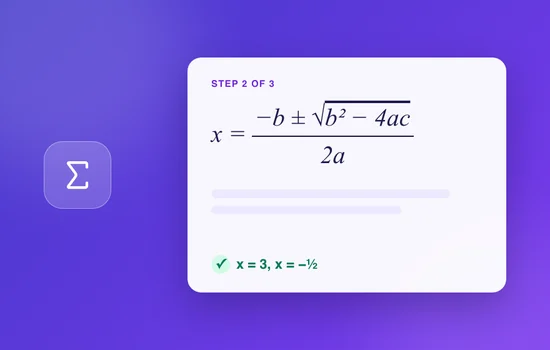
 Math Solver
Step-by-step solutions for algebra, calculus, geometry, statistics and word problems. Type the problem or upload a photo of your homework.
Math Solver
Step-by-step solutions for algebra, calculus, geometry, statistics and word problems. Type the problem or upload a photo of your homework.
-

 Grammar Checker
Instantly fix grammar, spelling and punctuation in essays, emails and any text, with every correction explained. Works in English and many other languages.
Grammar Checker
Instantly fix grammar, spelling and punctuation in essays, emails and any text, with every correction explained. Works in English and many other languages.
-

 Logo Creator
Generate professional logo designs and app icons: describe your brand and get concepts in different styles, refined until you love one.
Logo Creator
Generate professional logo designs and app icons: describe your brand and get concepts in different styles, refined until you love one.
-

 Personal Color Analysis
Find your color season (spring, summer, autumn or winter) from a selfie or a short quiz and get a personal palette for clothes, makeup and hair.
Personal Color Analysis
Find your color season (spring, summer, autumn or winter) from a selfie or a short quiz and get a personal palette for clothes, makeup and hair.
-

 Tarot & Palm Reading
Draw tarot cards for your question or get a palm reading from a photo of your hand. Thoughtful readings for reflection and fun.
Tarot & Palm Reading
Draw tarot cards for your question or get a palm reading from a photo of your hand. Thoughtful readings for reflection and fun.
-

 Resume Builder
Write or improve your resume and cover letter for a specific job: ATS-friendly structure, quantified achievements and ready-to-use text.
Resume Builder
Write or improve your resume and cover letter for a specific job: ATS-friendly structure, quantified achievements and ready-to-use text.